Download HR Manager
Mobile App
Manage your shifts, submit timesheets, and stay connected with your agency—all from your mobile device. Available for both iOS and Android.
HR Manager for Android
Download the HR Manager APK directly for Android devices. Full-featured native app with offline support, push notifications, and all the features you need.
Version 1.0.0
Latest release with all features
Requires Android 8.0 or later
Compatible with all modern Android devices
Free Download
No in-app purchases required
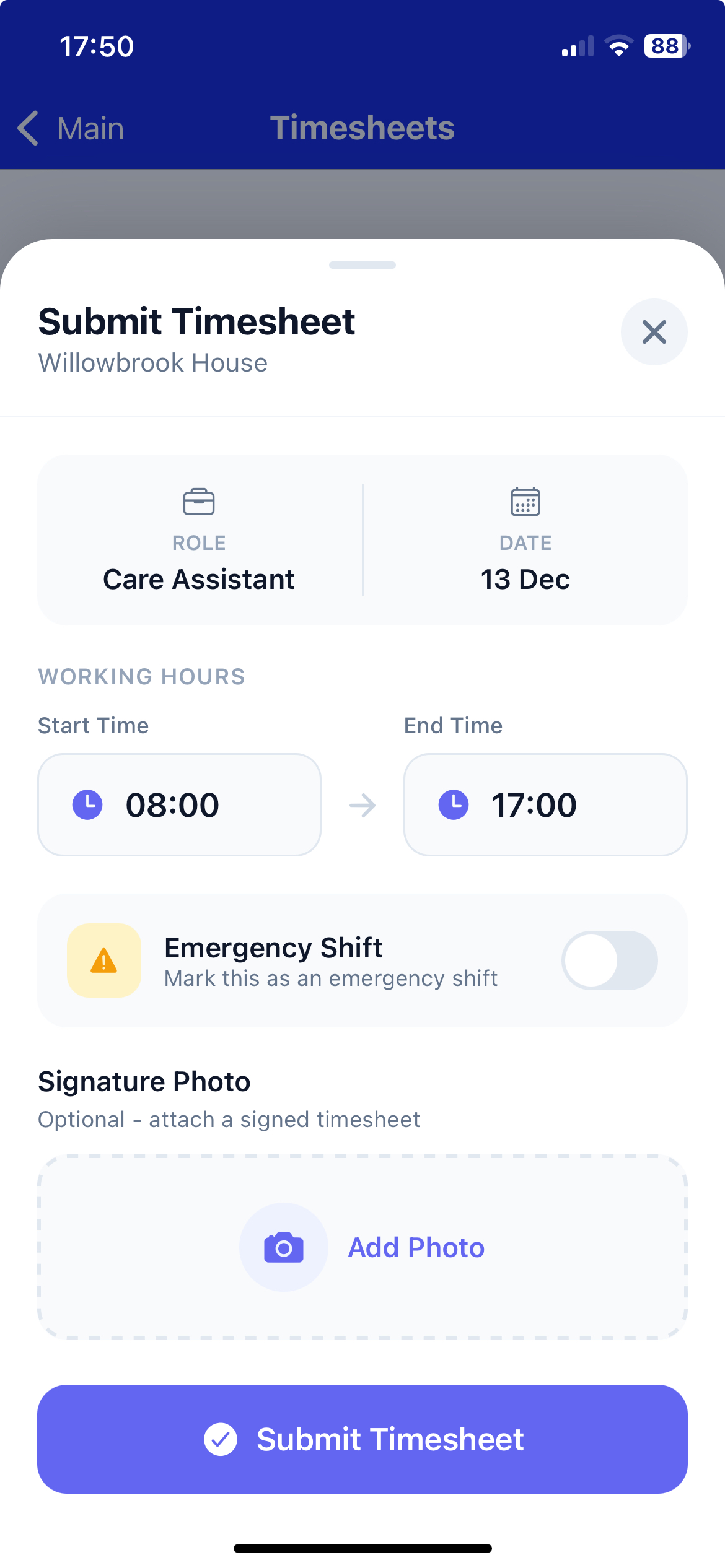
Timesheet Submission
Submit timesheets with photo signatures directly from your Android device.
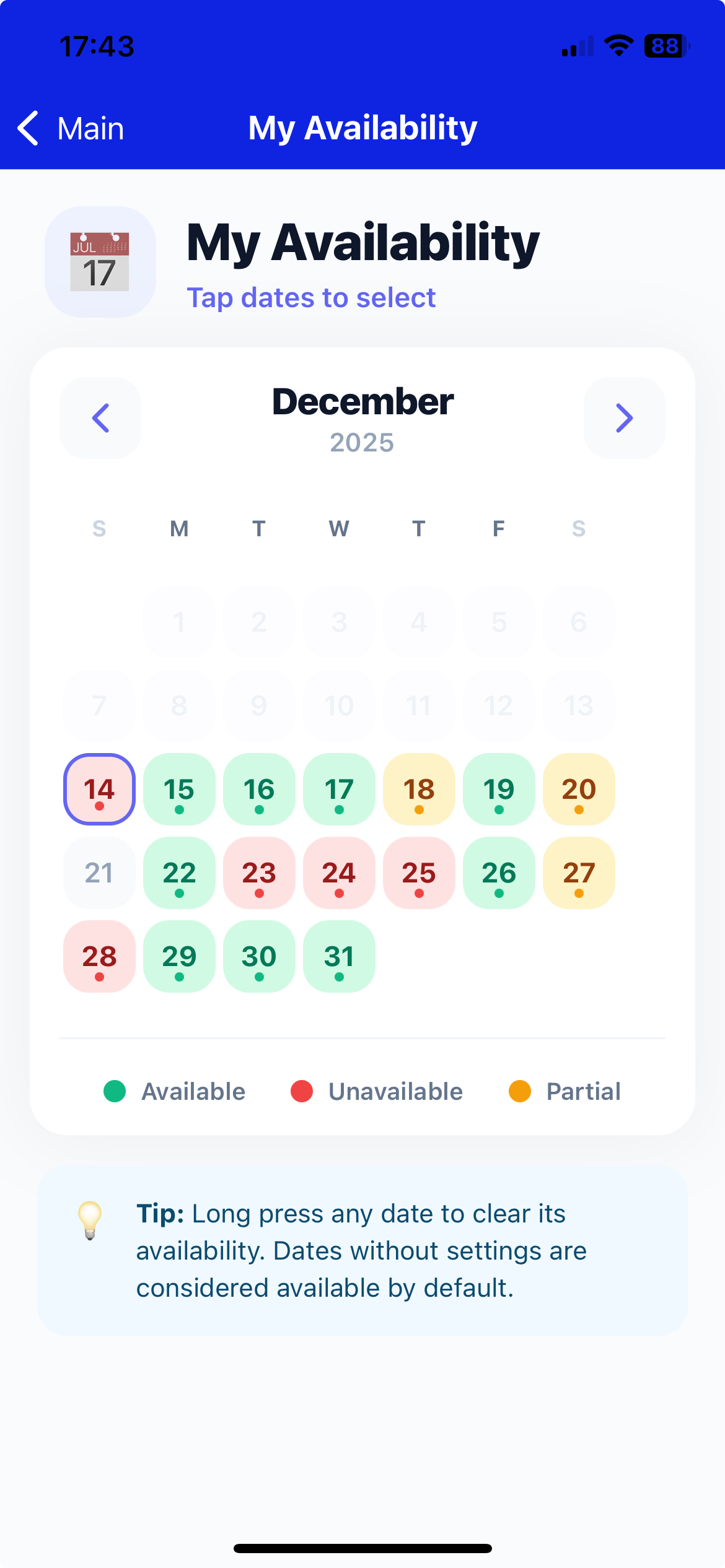
Availability Calendar
Set your availability with a beautiful calendar interface.
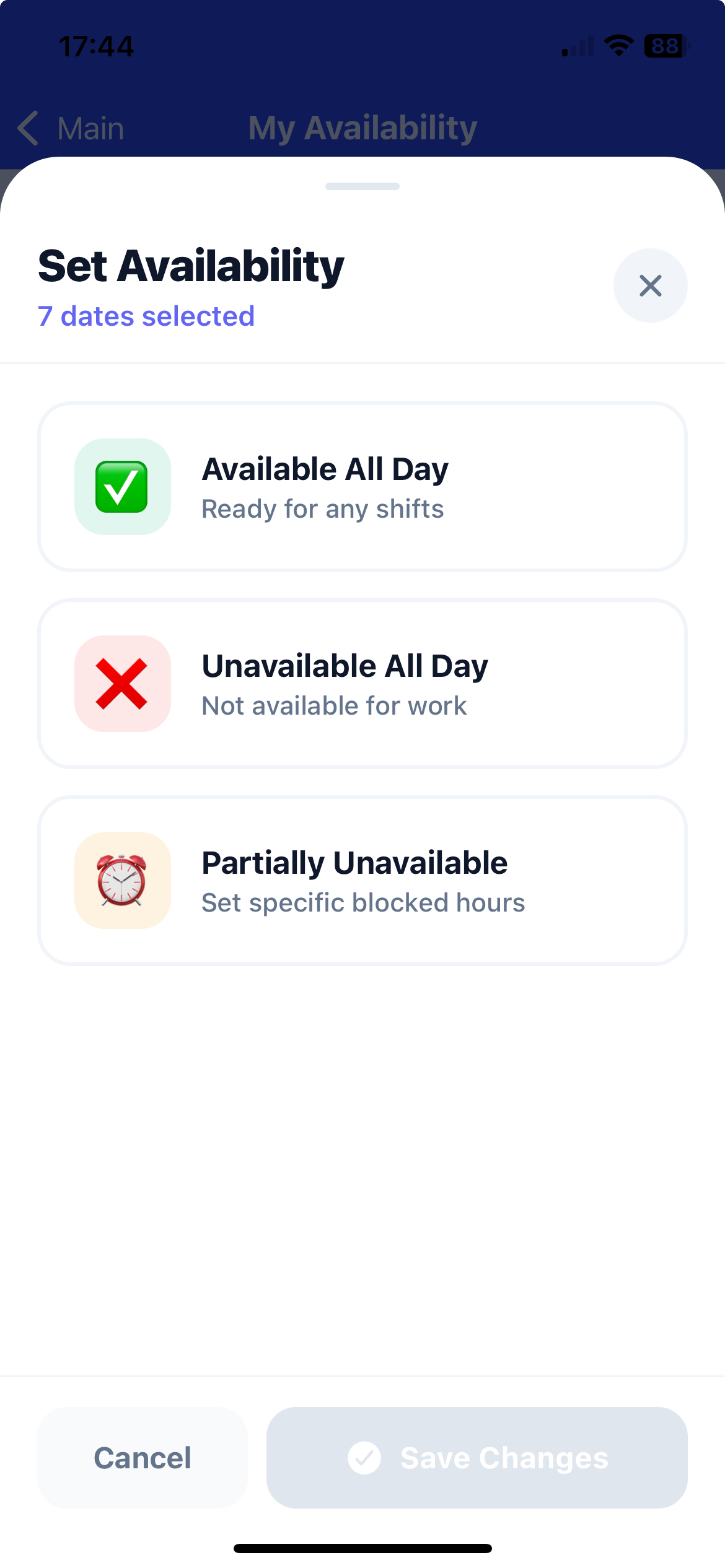
Multiple Selection
Select multiple dates at once for setting availability quickly.
Powerful Features on Mobile
Everything you need to manage your work, all in the palm of your hand
Shift Management
Accept or decline shift requests instantly. View all your upcoming shifts in a beautiful calendar view.
Timesheet Submission
Submit timesheets directly from your phone with photo signatures and easy verification.
Real-Time Notifications
Get instant push notifications for new shifts, timesheet reminders, and important updates.
Profile Management
Update your profile, certifications, and documents directly from the mobile app.
Clock In/Out
Digital clock in/out tracking with GPS location and photo verification for accurate attendance.
Availability Calendar
Set your availability with a beautiful visual calendar. Select multiple dates at once.
Timesheet History
View your timesheet submission history and track approval status in real-time.
Secure & Private
Biometric authentication, encrypted data, and secure connections keep your information safe.
How to Install on Android
Follow these simple steps to install HR Manager on your Android device
Enable Unknown Sources
Go to Settings → Security → Enable"Install from Unknown Sources" or "Allow from this source". This allows installation of apps outside the Play Store.
Download the APK
Click the "Download APK" button above to download the installation file directly to your device. The download will start immediately.
Install the App
Open the downloaded APK file from your notifications or Downloads folder. Tap "Install" and follow the on-screen prompts to complete installation.
Launch and Sign In
Once installed, open the HR Manager app from your app drawer. Sign in with your existing credentials to access all features.
Security & Trust
This APK file is provided directly by HR Manager and is completely safe to install. It does not contain any malware, viruses, or harmful code. Our app is built with security best practices and encrypts all data transmissions.
Note: If your device shows a security warning, it's because the app isn't from the Google Play Store. This is normal for direct APK installations and doesn't indicate any security risk. You can safely proceed with the installation.
Ready to Get Started?
Download the app today and start managing your shifts, timesheets, and notifications on the go.